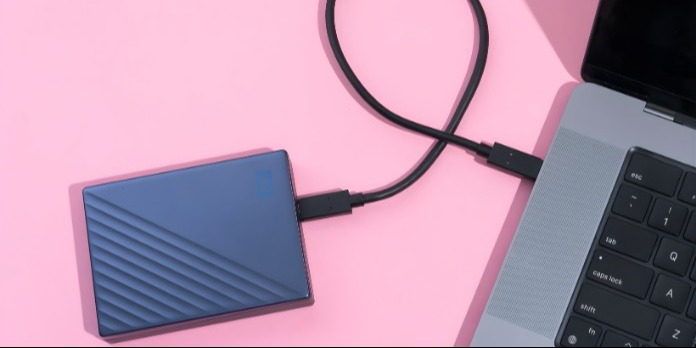
External Storage Devices Explained for Beginners
Have you ever wondered where all of your files should go when your phone or PC runs out of storage space? You're in the proper place if that's the case.
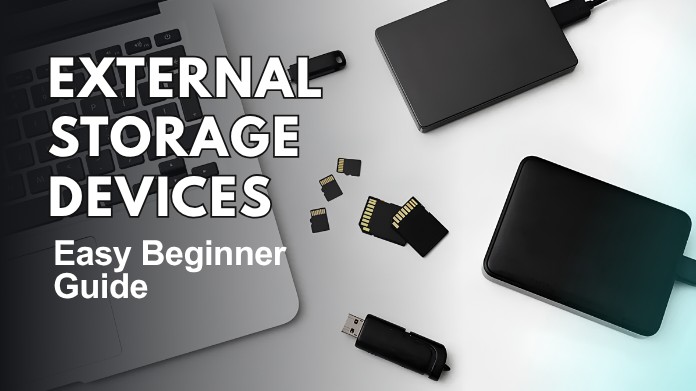
Digital storage has become an integral part of daily life, encompassing everything from photos and videos to games and critical documents. External storage devices can help with it.
These devices are widely used by everyday users, office professionals, gamers, and students to store important data securely. They also make it easier to move files across devices without depending entirely on internal memory or online storage.
Knowing about external storage can also help users troubleshoot common issues such as "Card Not Recognized" errors on memory cards & USB devices.
If you are new to technology or simply interested in how these devices work, this guide explains external storage devices in a straightforward, beginner-friendly way.
What Are External Storage Devices?
External storage devices are hardware tools that store data outside of your computer, laptop, phone, or game console. Unlike internal storage, which is permanently integrated into a device, external storage can be connected and deleted as needed.
They are intended to provide users with increased freedom while handling digital files & backups. Many external storage devices are also easy enough for beginners to use without prior technical knowledge.
These devices help users:
- Save important files
- Transfer data between devices
- Back up photos, videos, and documents
- Increase storage space
- Keep files safe from system crashes
They are especially beneficial when your main device's storage capacity becomes low.
Common Types of External Storage Devices
These days, external storage devices come in a variety of forms. They are all made to serve various purposes.
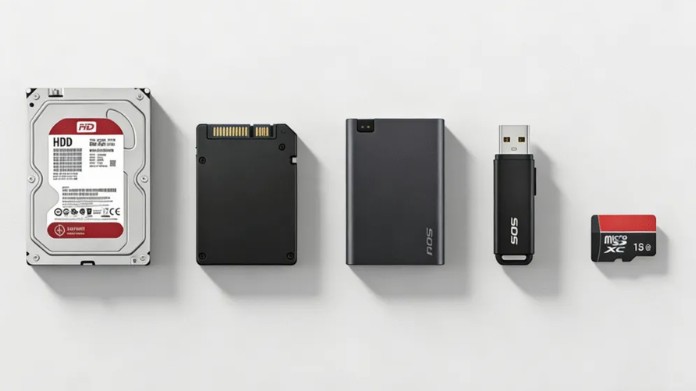
1. USB Flash Drives
USB flash drives are compact, lightweight gadgets that fit straight into a USB port. Because of their portability and small size, they are frequently utilized.
To move files between devices quickly, many contemporary USB drives also offer fast data transfer speeds.
They are commonly used for:
- School or office documents
- Quick file transfers
- Portable software storage
They are inexpensive, lightweight, and simple for novices to operate. Additionally, many people use USB flash drives to transfer files between computers at home, school, and work.
2. External Hard Drives
External hard drives offer substantially greater storage capacity than USB devices. They are frequently chosen by customers who require long-term storage for massive files and backups.
Some external hard drives may hold many terabytes of data, making them ideal for large storage requirements.
Many people use them for:
- Backing up entire computers
- Storing movies and games
- Saving large projects
Traditional hard drives typically give more storage for a lower price. They are a popular alternative for those who need to store large amounts of data while keeping costs low.
3. External Solid-State Drives (SSDs)
External SSDs are speedier than standard hard drives. They use flash memory rather than spinning disks, which boosts overall performance.
They are also quieter and more durable because they have no moving parts.
They have no moving parts, which makes them:
- Faster at transferring files
- More durable
- Better for gaming and editing work
Many designers & gamers prefer SSDs for their speed and dependability. Their tiny size also makes them easier to transport when traveling.
4. Memory Cards
Memory cards are commonly used in:
- Smartphones
- Cameras
- Drones
- Gaming devices
MicroSD cards and SD cards are popular formats. Some users even employ programs from "File Systems Explained - NTFS, FAT32, exFAT, and More" to prepare memory cards for device compatibility.
Memory cards are particularly helpful for increasing storage capacity in small, portable devices.
Why File Systems Matter?
When using external storage devices, file systems are essential. A file system manages data storage and organization.
Typical file systems include the following:
- FAT32
- exFAT
- NTFS
Different devices support different formats. For instance, NTFS is more frequently used on Windows PCs, although FAT32 is compatible with numerous gaming consoles and older systems.
Understanding the fundamentals of storage formatting can help prevent errors when moving data across devices.
Benefits of External Storage Devices
External storage devices offer several advantages for everyday users.
1. Extra Storage Space
One of the most significant advantages is the ability to add more storage without replacing your computer.
2. Easy File Backup
Important data can be protected from accidental deletion or hardware failure by keeping backups on an external drive.
3. Portability
The majority of external devices are lightweight and portable, which makes them ideal for work or travel.
4. Device Compatibility
Many external drives work with:
- Windows PCs
- Macs
- Gaming consoles
- Smart TVs
- Smartphones
This flexibility makes them useful in a variety of situations.
Things to Consider Before Buying
Before choosing an external storage device, beginners should consider a few crucial factors.
1. Storage Capacity
Choose storage based on your needs:
- 32GB-128GB for basic files
- 500GB-2TB for games and media
- 4TB+ for professional backups
2. Speed
SSD devices are usually faster than traditional HDDs.
3. Port Type
Check if your device supports:
- USB-A
- USB-C
- Thunderbolt
4. Durability
Portable SSDs often survive drops better than traditional hard drives.
Are External Storage Devices Safe?
Yes, when used correctly, external storage devices are often safe. But users ought to:
- Safely eject devices before unplugging
- Avoid sudden power loss during transfers
- Keep backups of important data
- Use antivirus software when sharing drives
Proper care helps external storage devices last longer.
Final Thoughts
External storage devices are straightforward but incredibly effective instruments for managing digital information. Whether you require more storage space, better backups, or a simpler means to transfer data, these gadgets make everyday computing much more convenient.
Knowing the fundamentals can help novices select the best storage solution for their need, from USB drives to potent external SSDs.
External storage devices remain one of the simplest ways to maintain organization and security as digital files grow in size.
About the Author
Hello, my name is Bran Bolton. I'm a tech enthusiast and content developer who enjoys learning about digital storage, computer hardware, & modern technologies. I enjoy presenting straightforward, beginner-friendly ideas to help people understand how common technologies work.
How did you feel about this guide to external storage devices? Have you used hard disks, external SSDs, or USB drives before? Please feel free to express your opinions and experiences.
Reference:
Miller, J. A. (2023, December 11). external storage device. Search Storage. https://www.techtarget.com/sea...