Accreditation: Reference Checks
In the HPCN Portal, the Reference Check stage looks the image below. Read the instructions carefully, and when you are ready to upload references, click on the "Add a Reference" button.
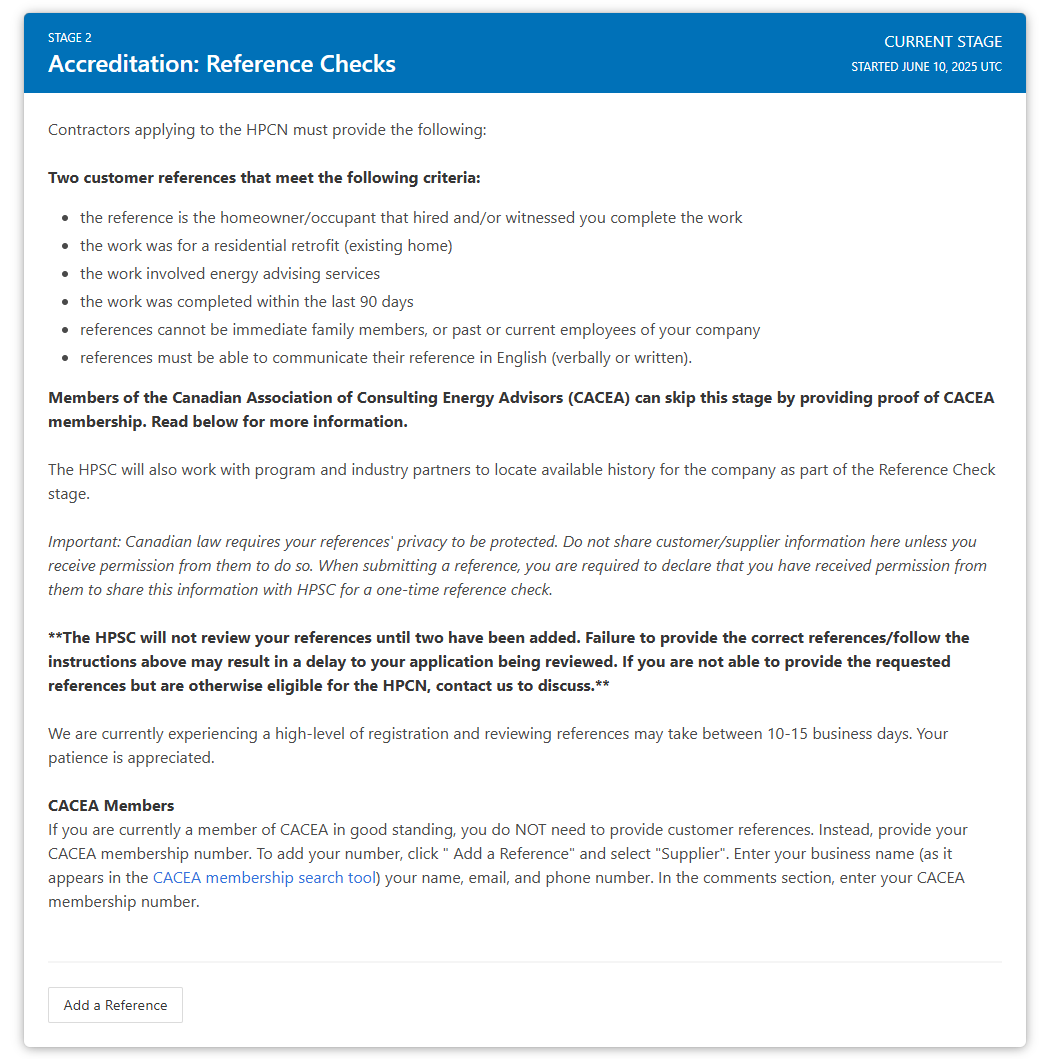
For the Energy Advisor sector, you must upload two customer references.
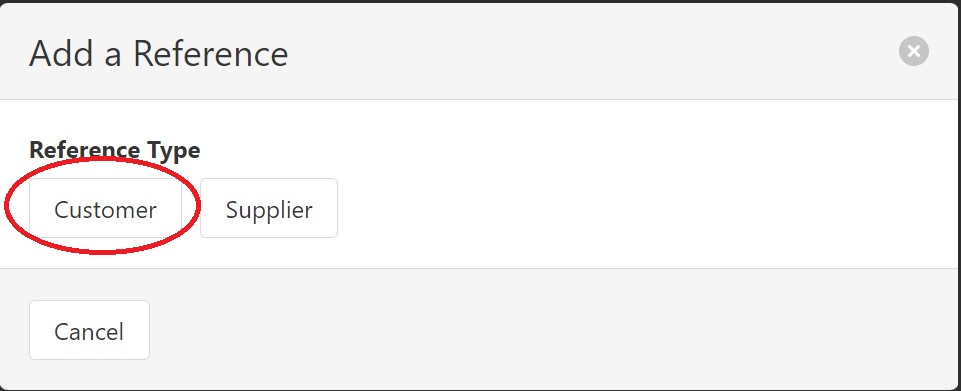
Fill out the required information for the reference and click "Add".
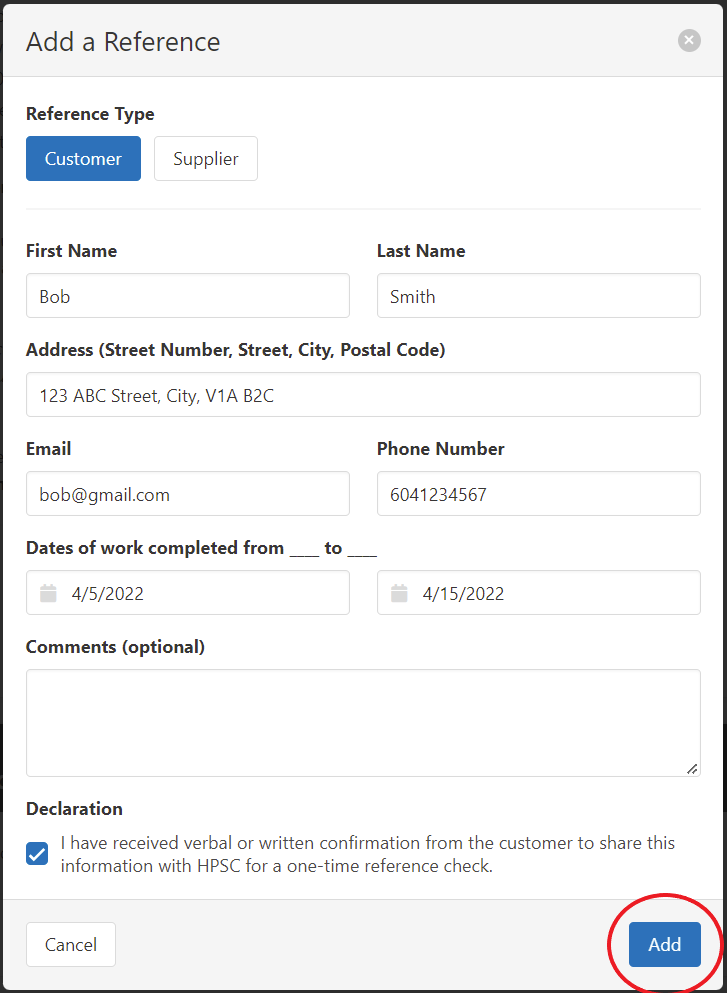
Once you have uploaded 2 customer references, the HPSC will conduct reference checks and contact you if further follow-up is required.
Once the HPSC is finished the reference checks, they will approve this stage and you will receive email notification that the next Stage is open for you.
CACEA Members
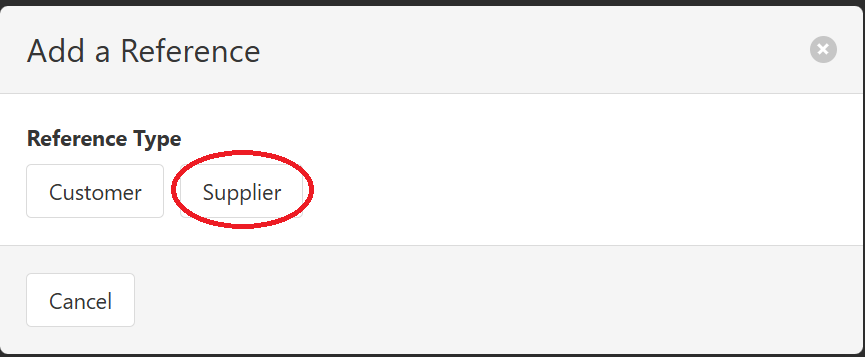
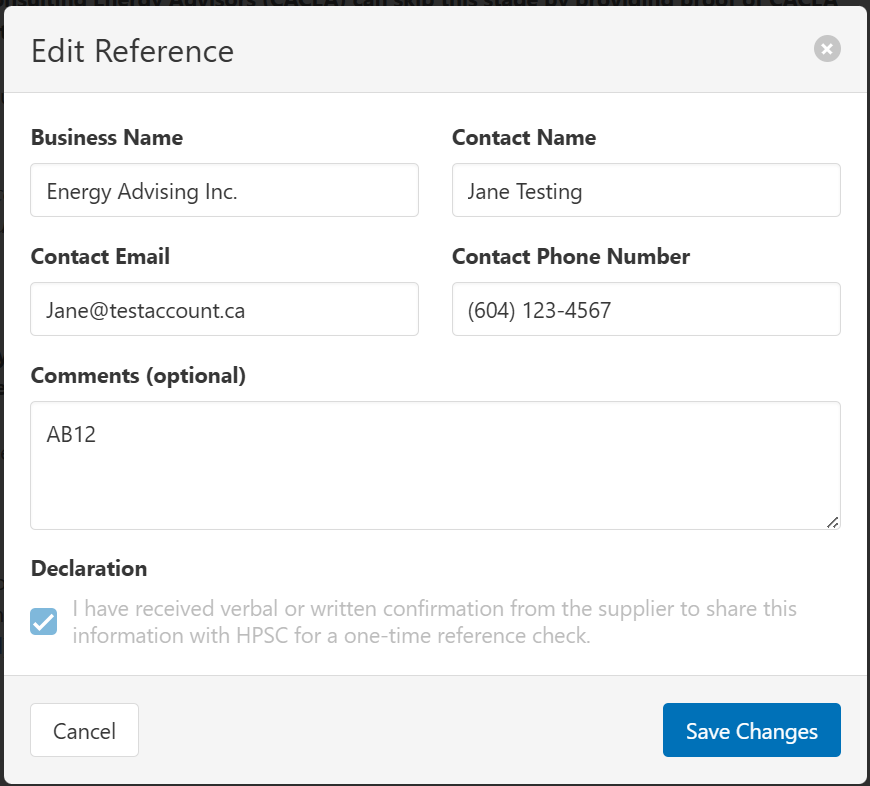
If you are currently a member of CACEA in good standing, you do NOT need to provide customer references. Instead, provide your CACEA membership number. To add your number, click " Add a Reference" and select "Supplier". Enter your business name (as it appears in the CACEA membership search tool) your name, email, and phone number. In the comments section, enter your CACEA membership number.