Qualifications: Training
In the HPCN Portal, the Qualifications Training Stage has multiple sections. It begins with a set of instructions that apply to all of the training requirements. Read these carefully before continuing. It looks like this:
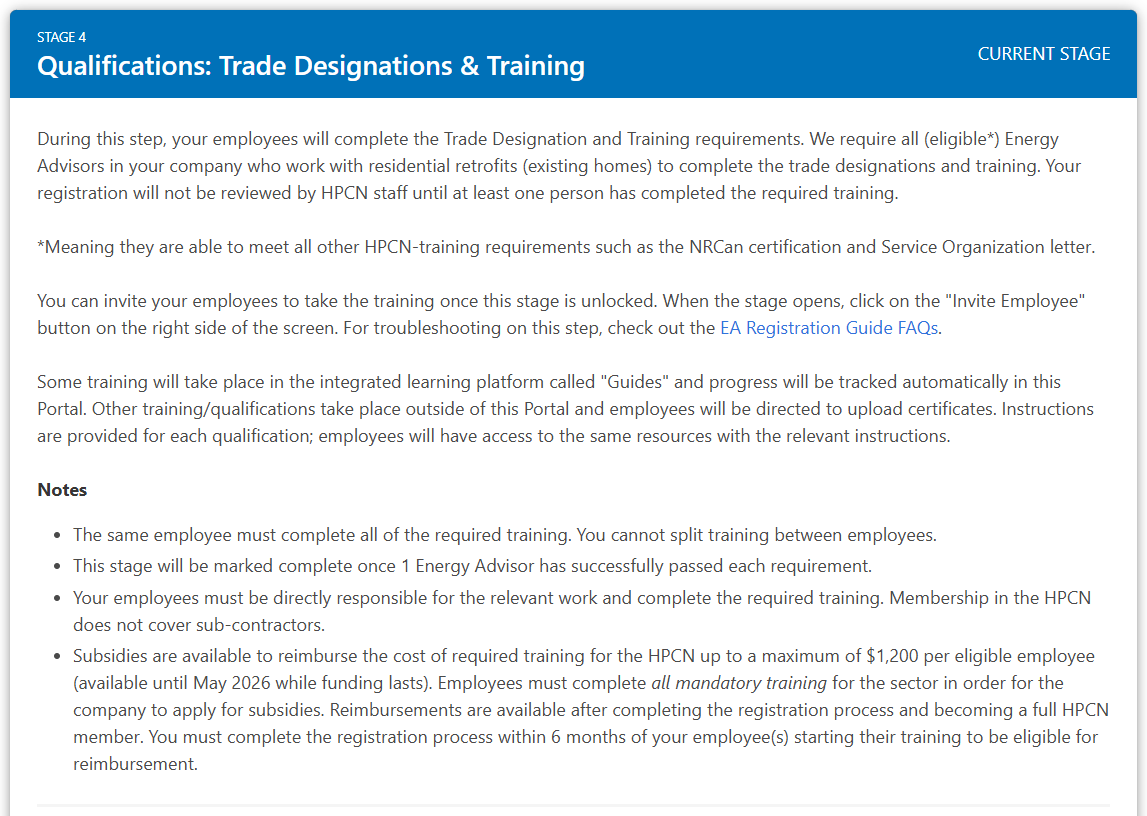
Remember: The same employee must complete all of the required training. You cannot split training between employees.
Completing the Training
There are 6 mandatory qualifications to complete and 2 optional:
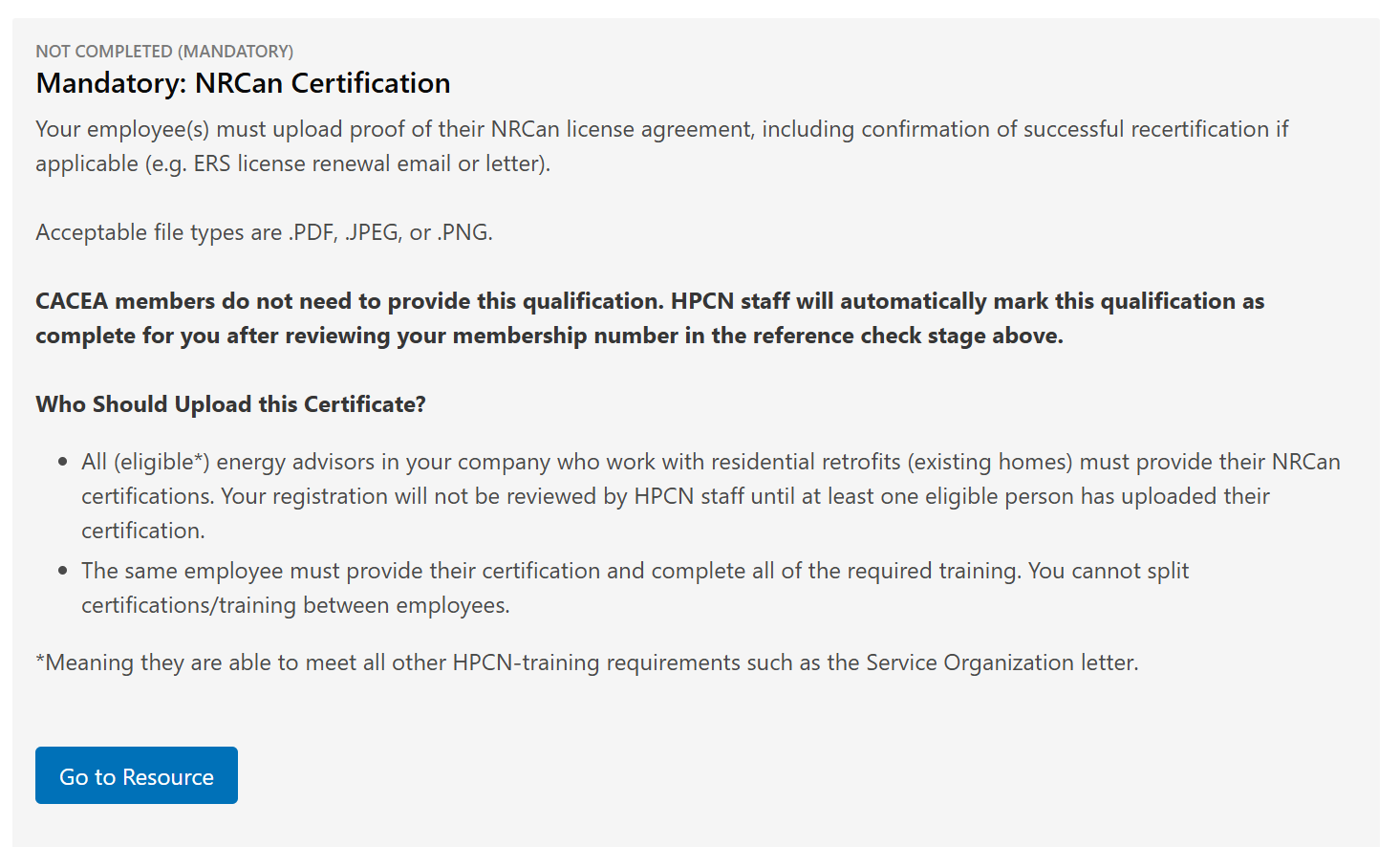
1) NRCan Certification
- This is a mandatory qualification*.
- Employees that you have invited can upload their own certificates in their Portal account.
- To learn more about the requirement, click on the "Go to Resource" button.
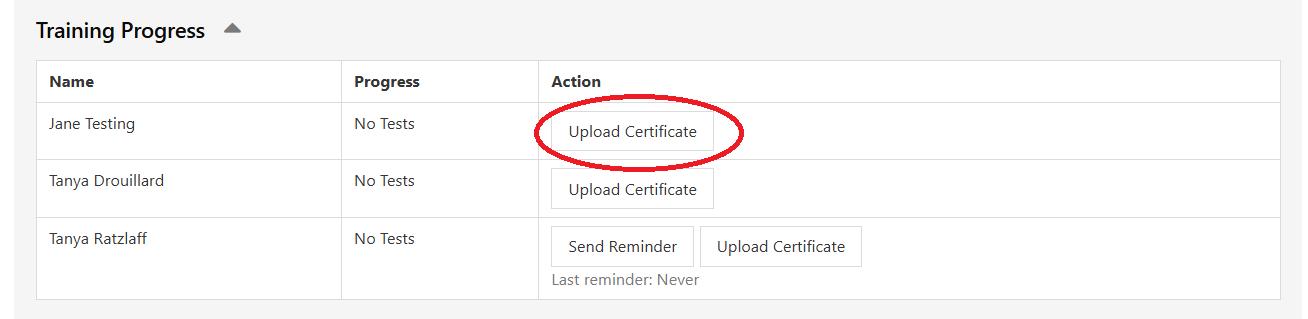
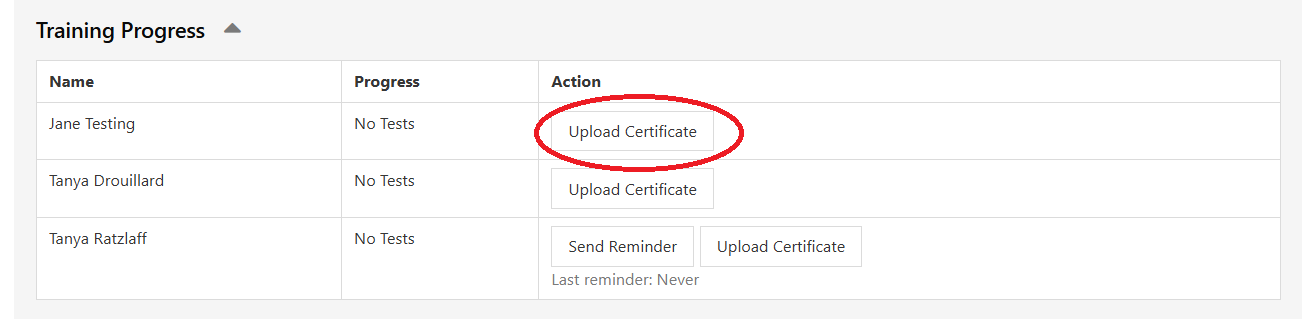
- To upload your own certificate, or upload on behalf of an employee, click on the "Upload Certificate" button next to the person's name.
*Except for CACEA members.
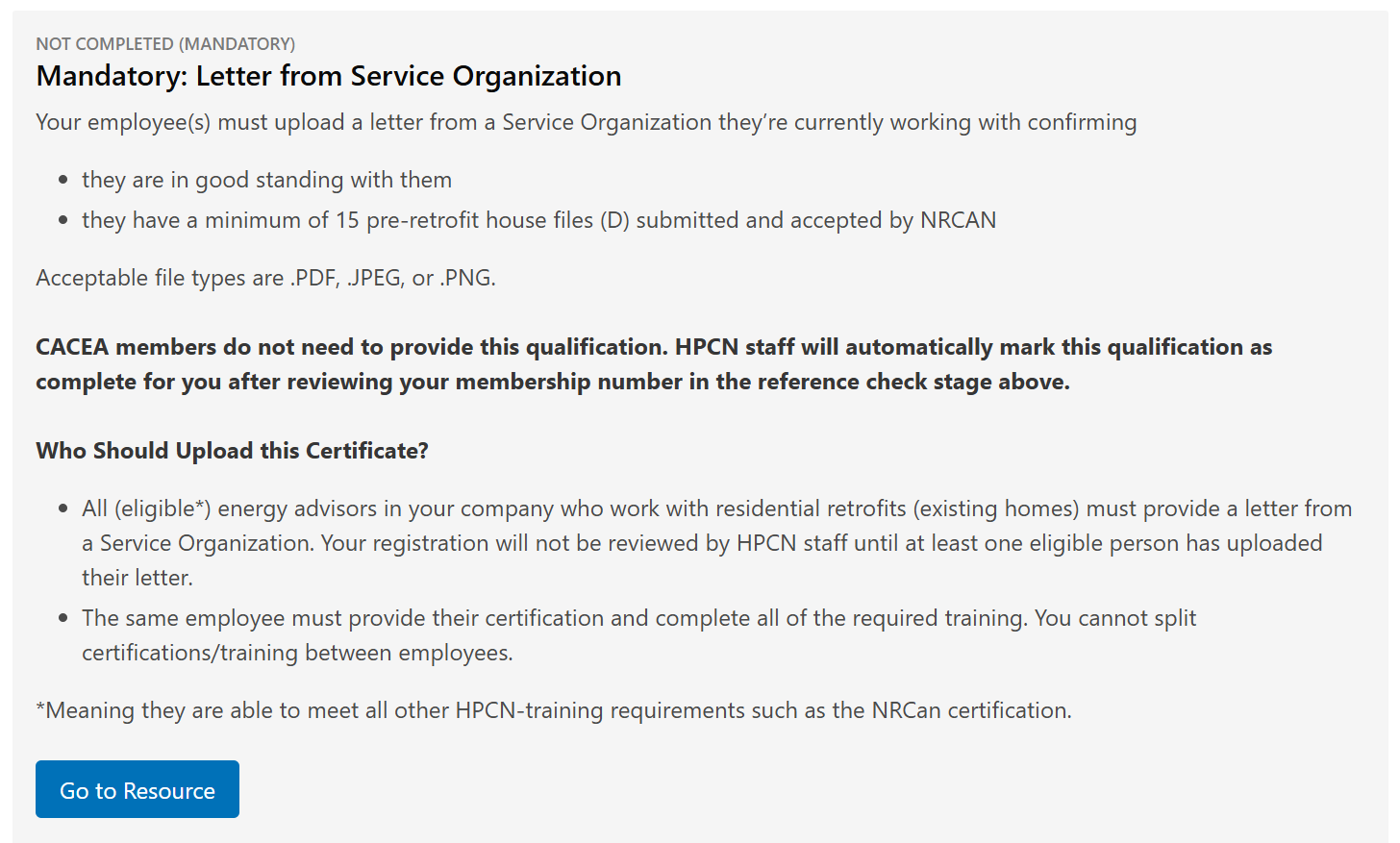
2) Letter from Service Organization
- This is a mandatory qualification*.
- Employees that you have invited can upload their own letter in their Portal account.
- To learn more about the requirement, click on the "Go to Resource" button.
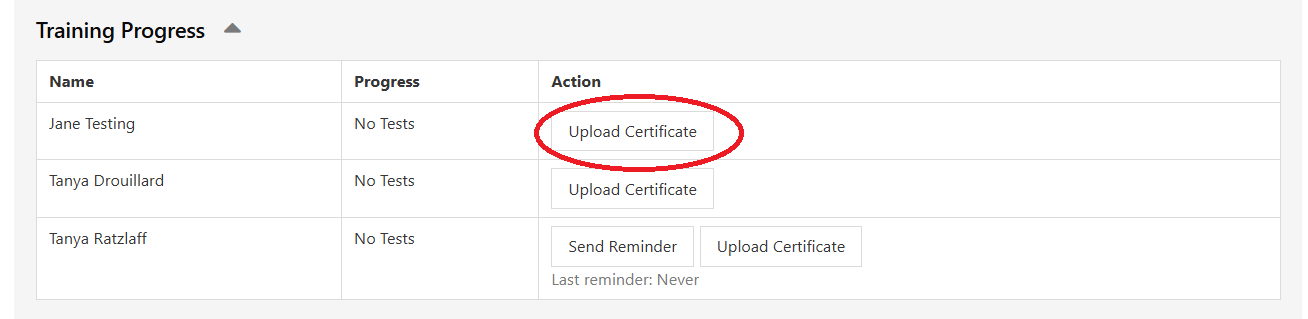
- To upload your own certificate, or upload on behalf of an employee, click on the "Upload Certificate" button next to the person's name.
*Except for CACEA members.
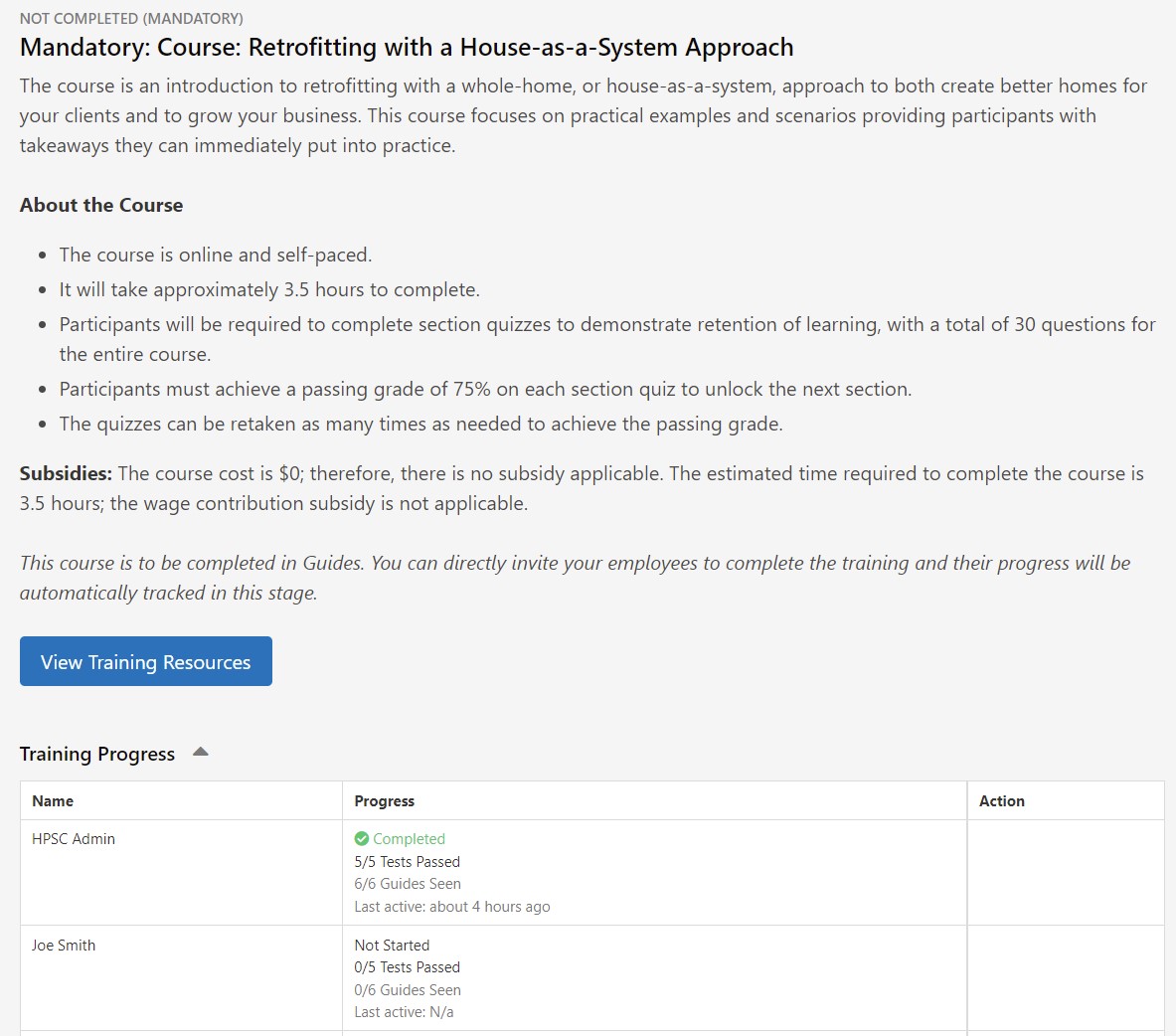
3) Retrofitting with a House-as-a-System Approach
- This is a mandatory course.
- Employees that you have invited can complete the course directly in Guides. The table at the bottom shows you the progress of each employee.
- To view/complete the course yourself, click on the "View Training Resources" button and then select the course from the training Hub.
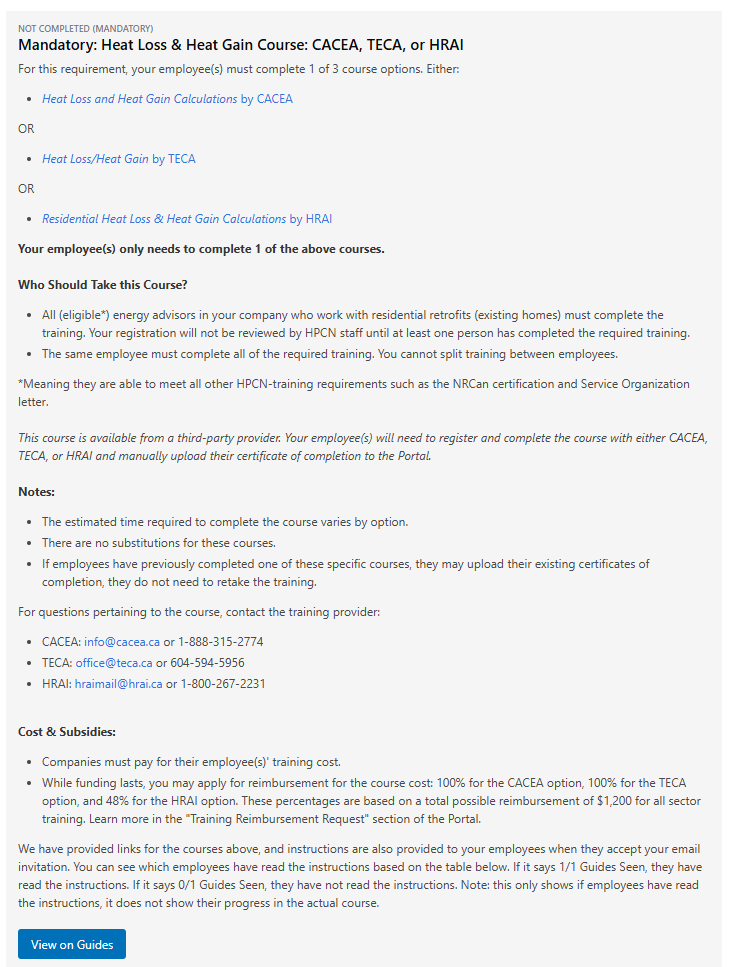
4) Heat Loss & Heat Gain Course: CACEA, TECA, or HRAI
- This is a mandatory qualification.
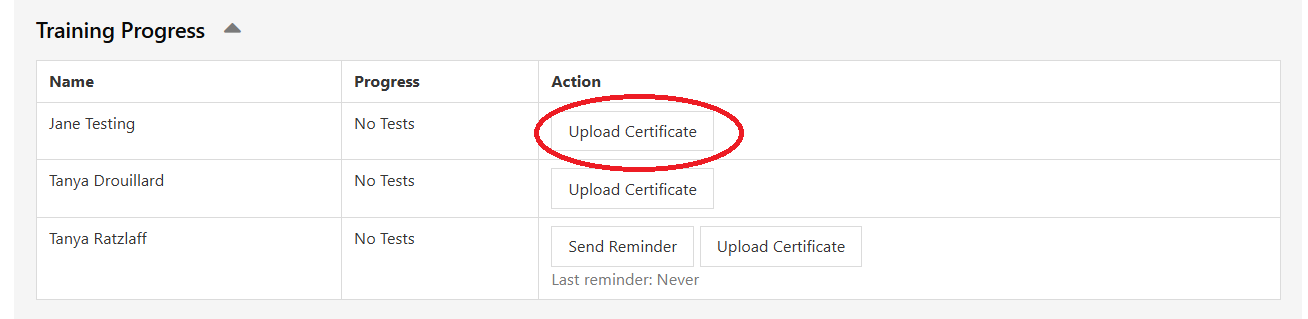
- Employees that you have invited can upload their own certificate of completion in their Portal account.
- To learn more about the requirement, click on the "Go to Resource" button.
- To upload your own certificate, or upload on behalf of an employee, click on the "Upload Certificate" button next to the person's name.
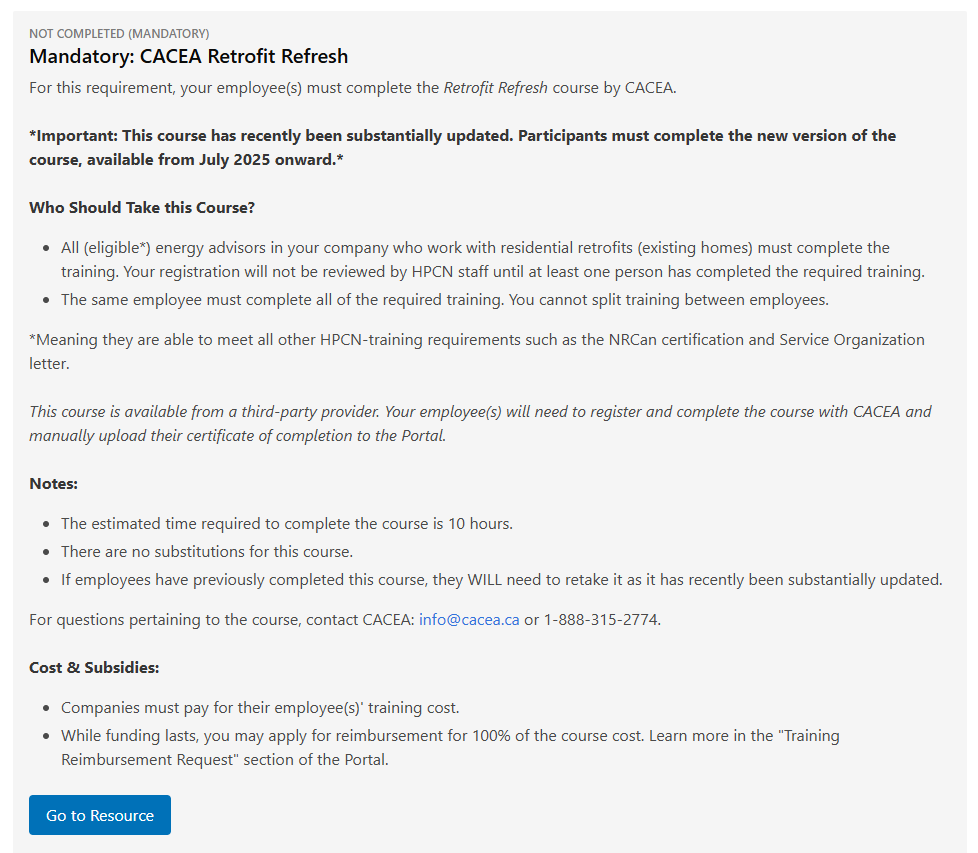
5) CACEA Retrofit Refresh
- This is a mandatory qualification.
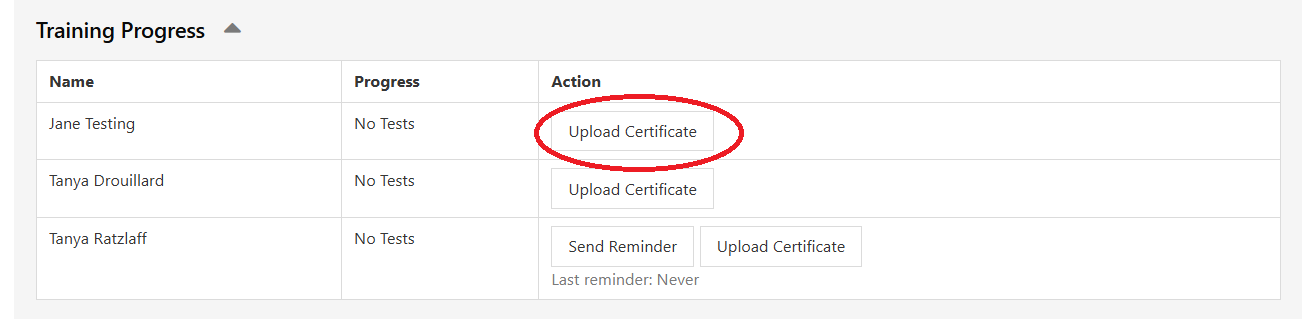
- Employees that you have invited can upload their own certificate of completion in their Portal account.
- To learn more about the requirement, click on the "Go to Resource" button.
- To upload your own certificate, or upload on behalf of an employee, click on the "Upload Certificate" button next to the person's name.
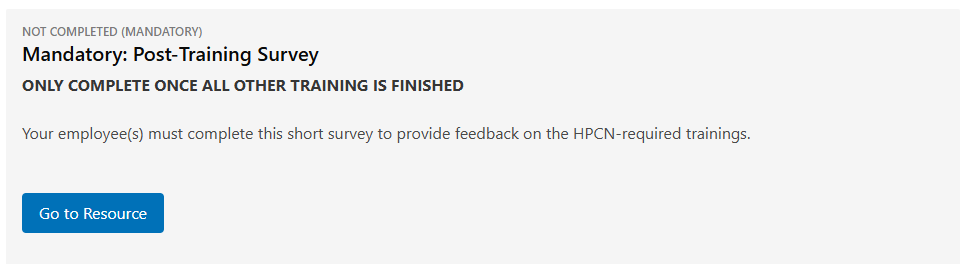
5) Post-Training Survey
- This is a mandatory qualification.
- Employees that you have invited can upload their own certificate of completion in their Portal account.
- To learn more about the requirement, click on the "Go to Resource" button.
- To upload your own certificate, or upload on behalf of an employee, click on the "Upload Certificate" button next to the person's name.
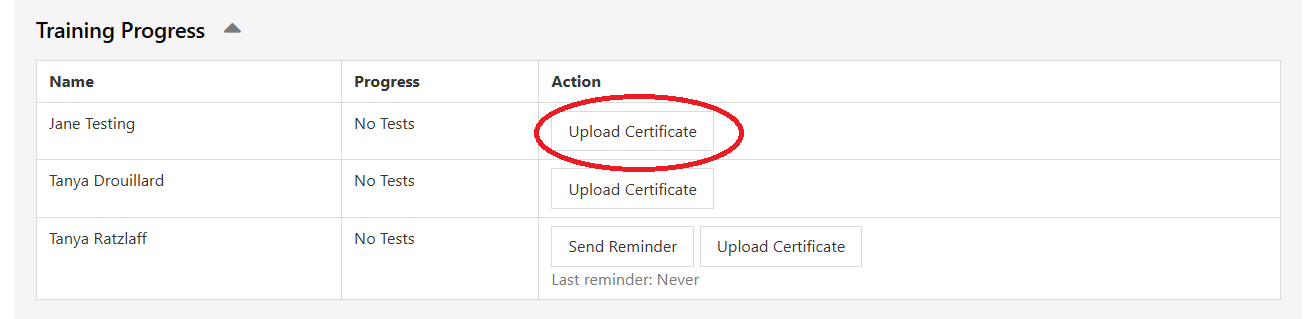
Once at least 1 person has completed each of the mandatory qualifications above, the next stage in the Portal will unlock.
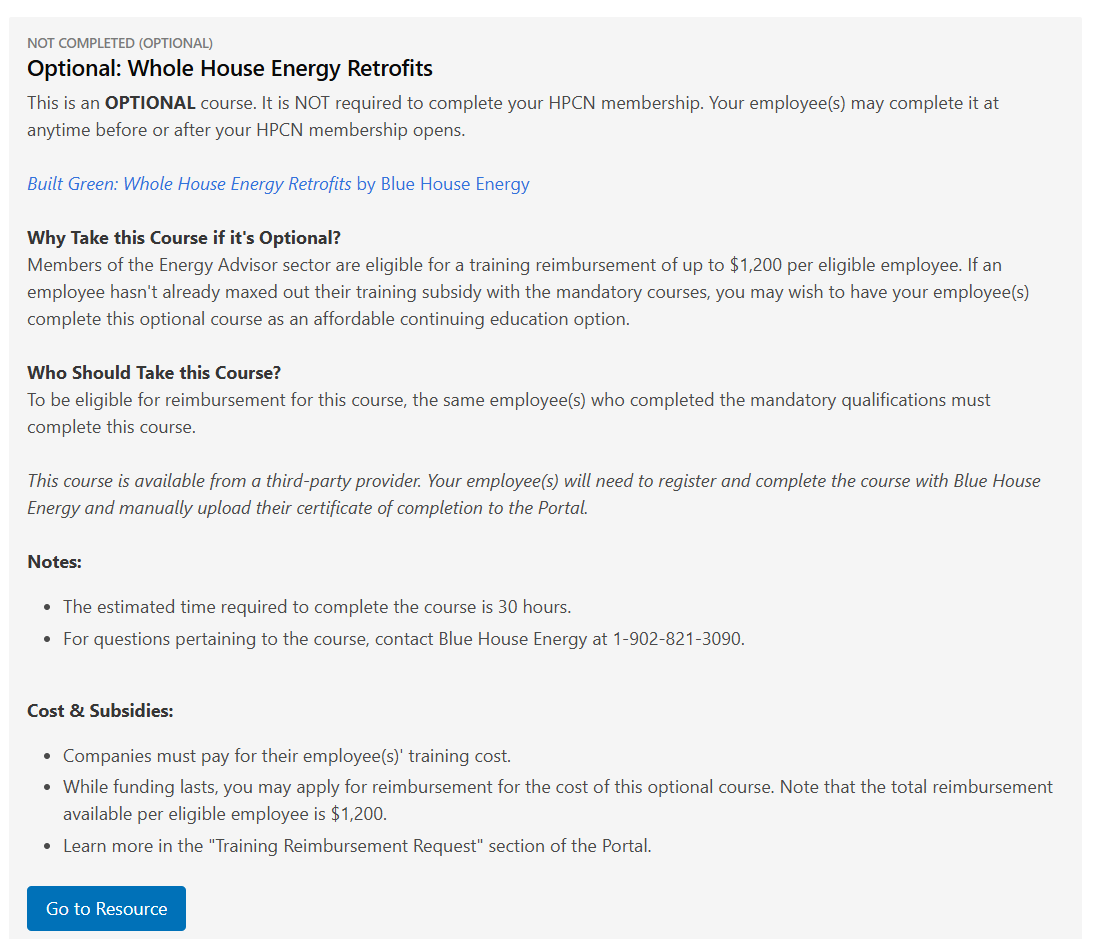
6) Whole House Energy Retrofits
- This is an optional qualification.
- Employees that you have invited can upload their own certificate of completion in their Portal account.
- To learn more about the requirement, click on the "Go to Resource" button.
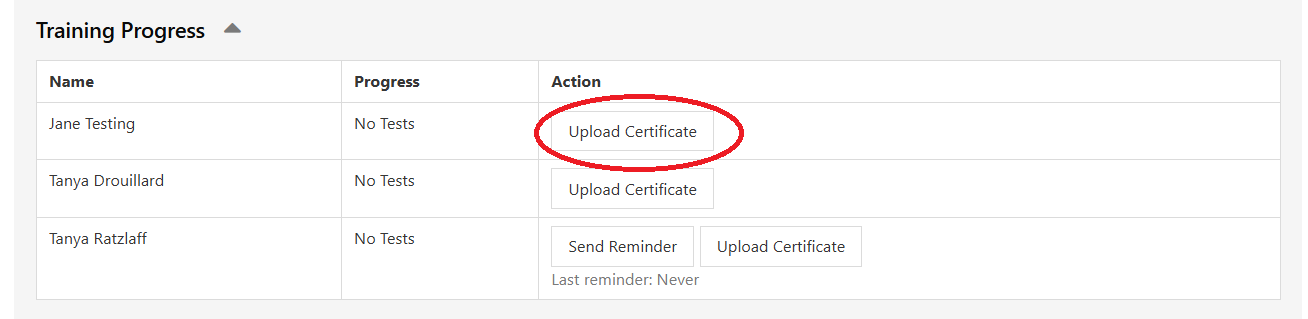
- To upload your own certificate, or upload on behalf of an employee, click on the "Upload Certificate" button next to the person's name.
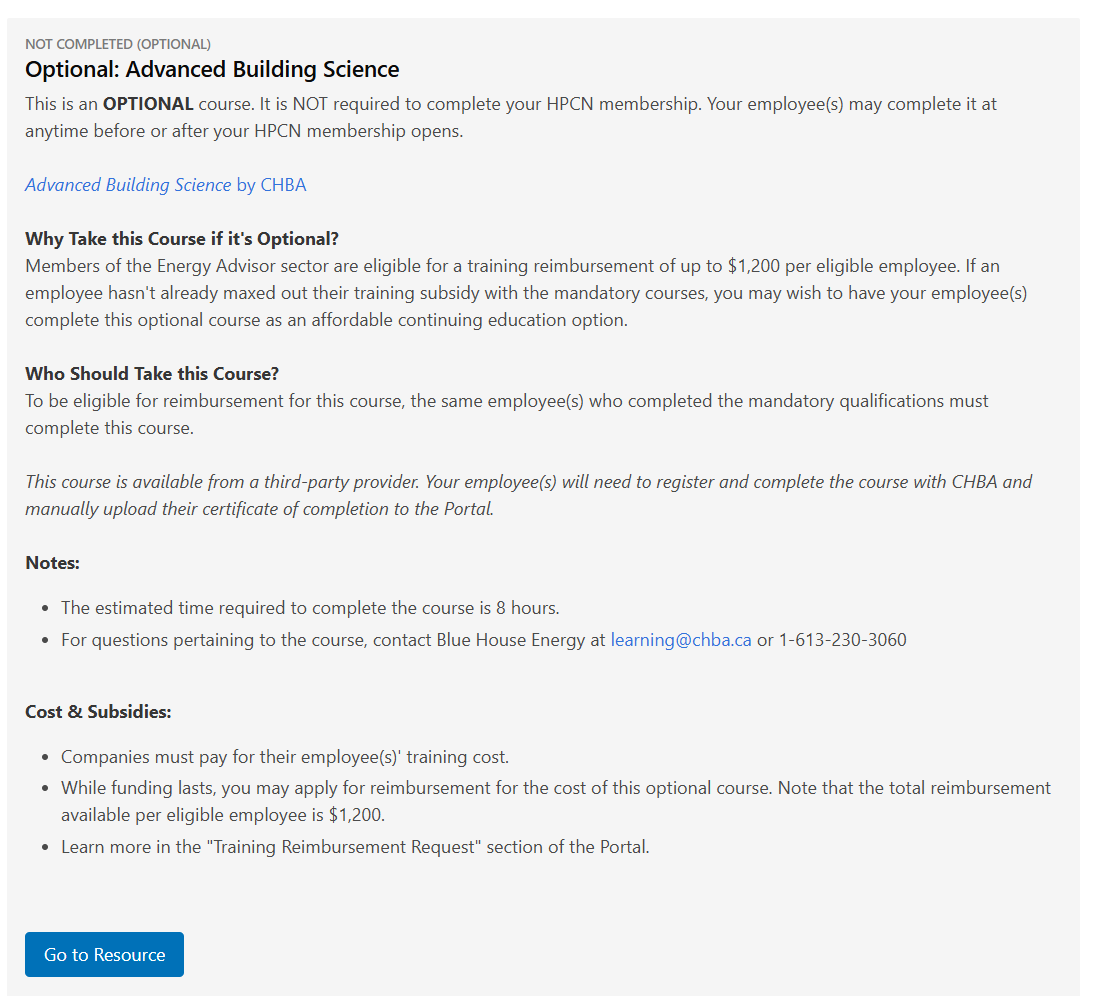
7) Advanced Building Science
- This is an optional qualification.
- Employees that you have invited can upload their own certificate of completion in their Portal account.
- To learn more about the requirement, click on the "Go to Resource" button.
- To upload your own certificate, or upload on behalf of an employee, click on the "Upload Certificate" button next to the person's name.