Qualifications: Training
In the HPCN Portal, the Qualifications Training Stage has multiple sections. It begins with a set of instructions that apply to all of the training requirements. Read these carefully before continuing. It looks like this:
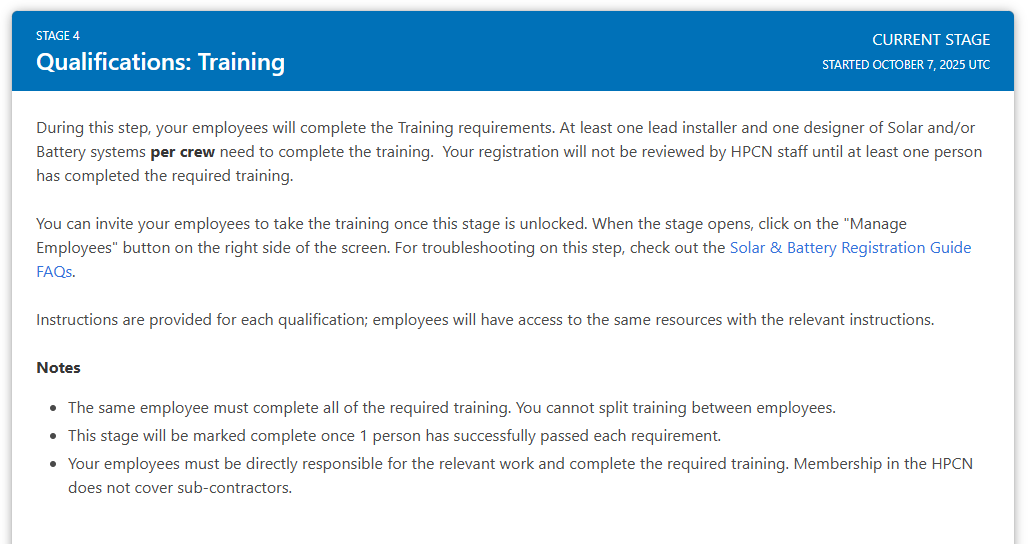
Remember: The same employee must complete all of the required training. You cannot split training between employees.
Inviting your Employees to Complete the Training
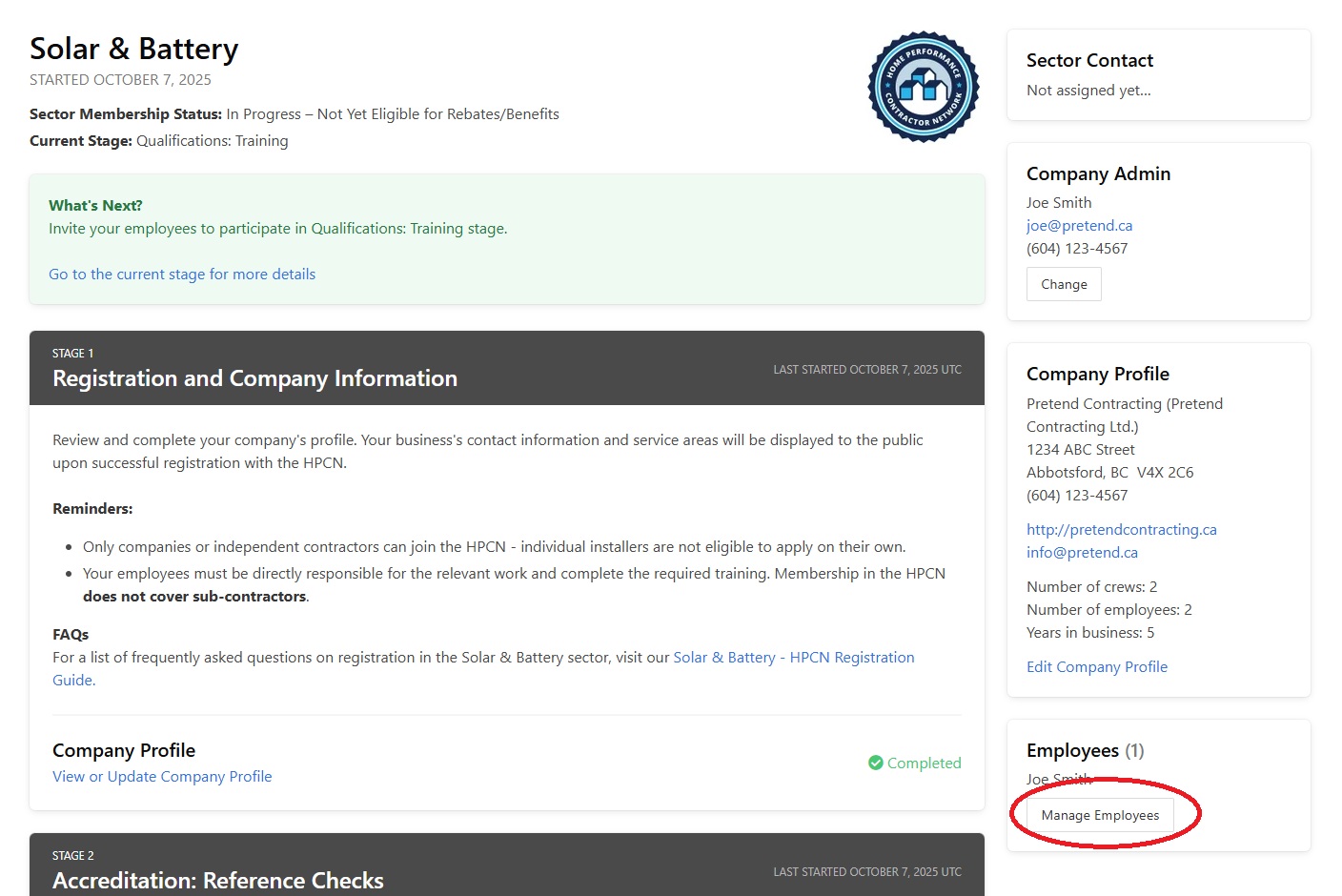
At this point, you will need to invite your employees to complete the required training. To do this, scroll up in the HPCN Portal until you see the "Employees" section on the right-hand side of the page. Click on the "Manage Employees" button.
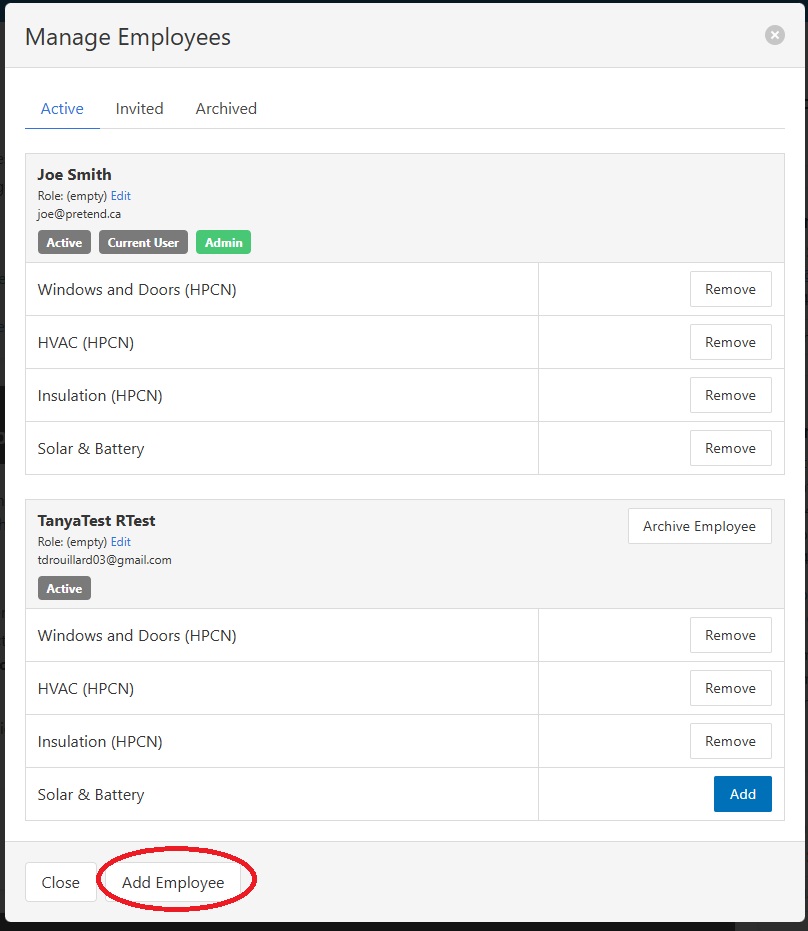
Click on "Add Employee".
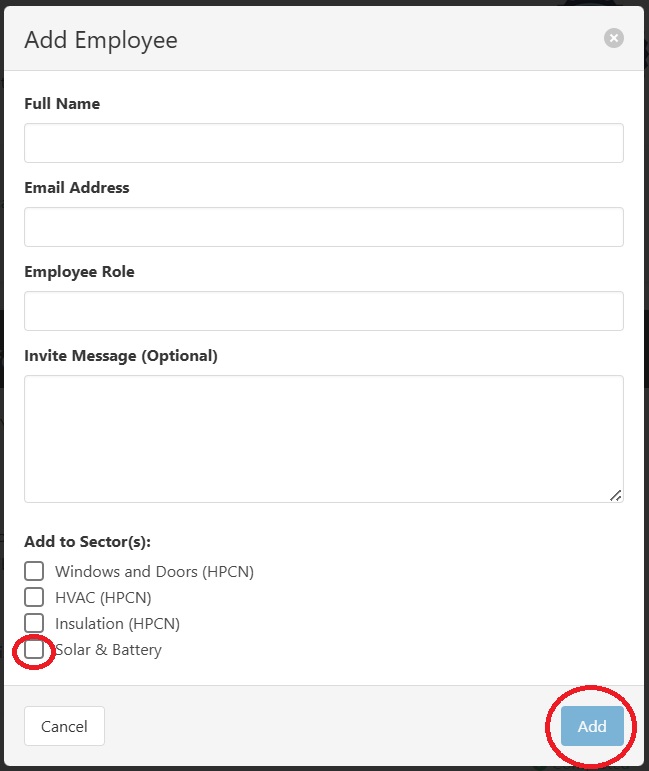
Enter the full name, email address, and employee role. Select the sector(s) that you wish to enroll that employee in and click on "Add". Repeat for additional employees as applicable.
Remind your employees to check their email inboxes/spam folders for an invite and click on the "Accept Invitation" button. It will look similar to this:

Clicking the "Accept Invitation" button will open up a web page where they will be asked to create a Guides.co account to access the training.
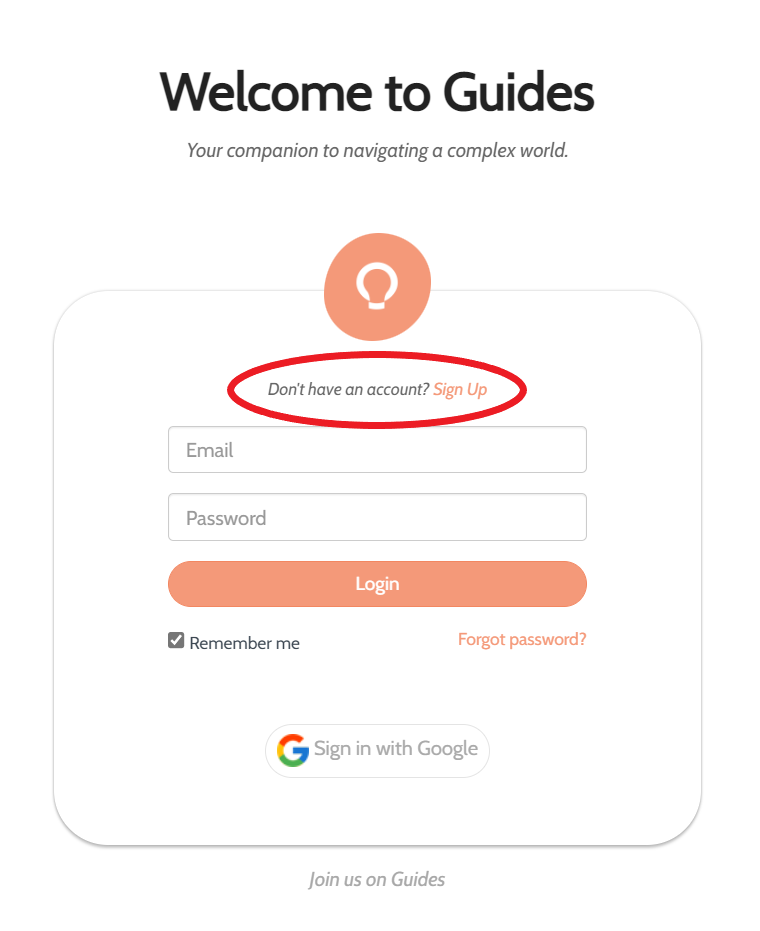
Once they have created an account, they will be brought to the training landing page where they see the required training laid out for them. This is the same training as you see in the HPCN Portal.
Completing the Training
There are three qualifications to complete:
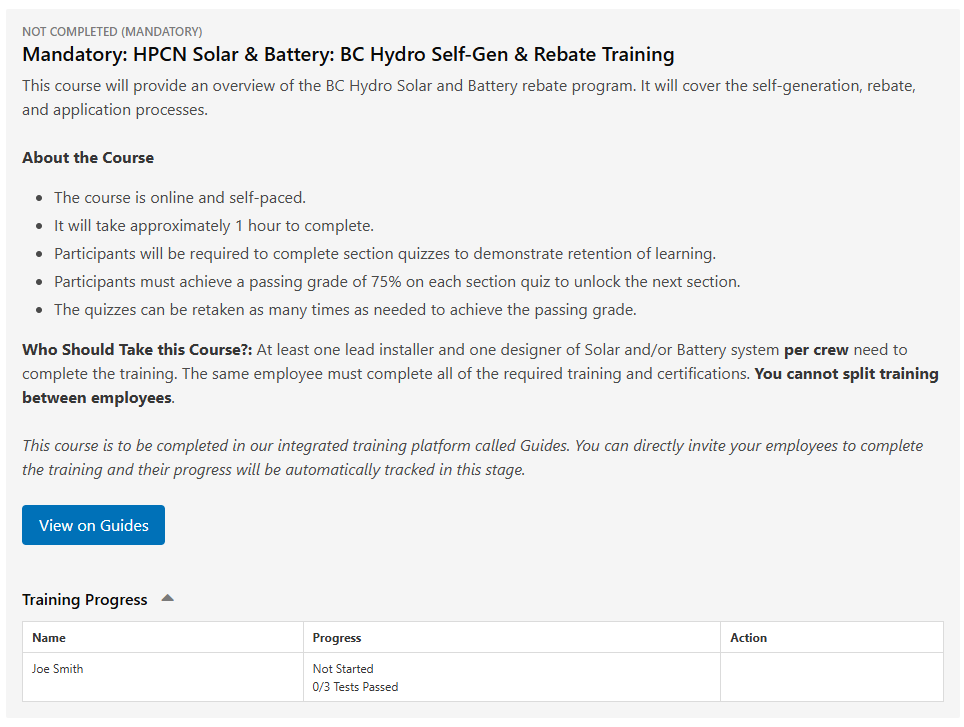
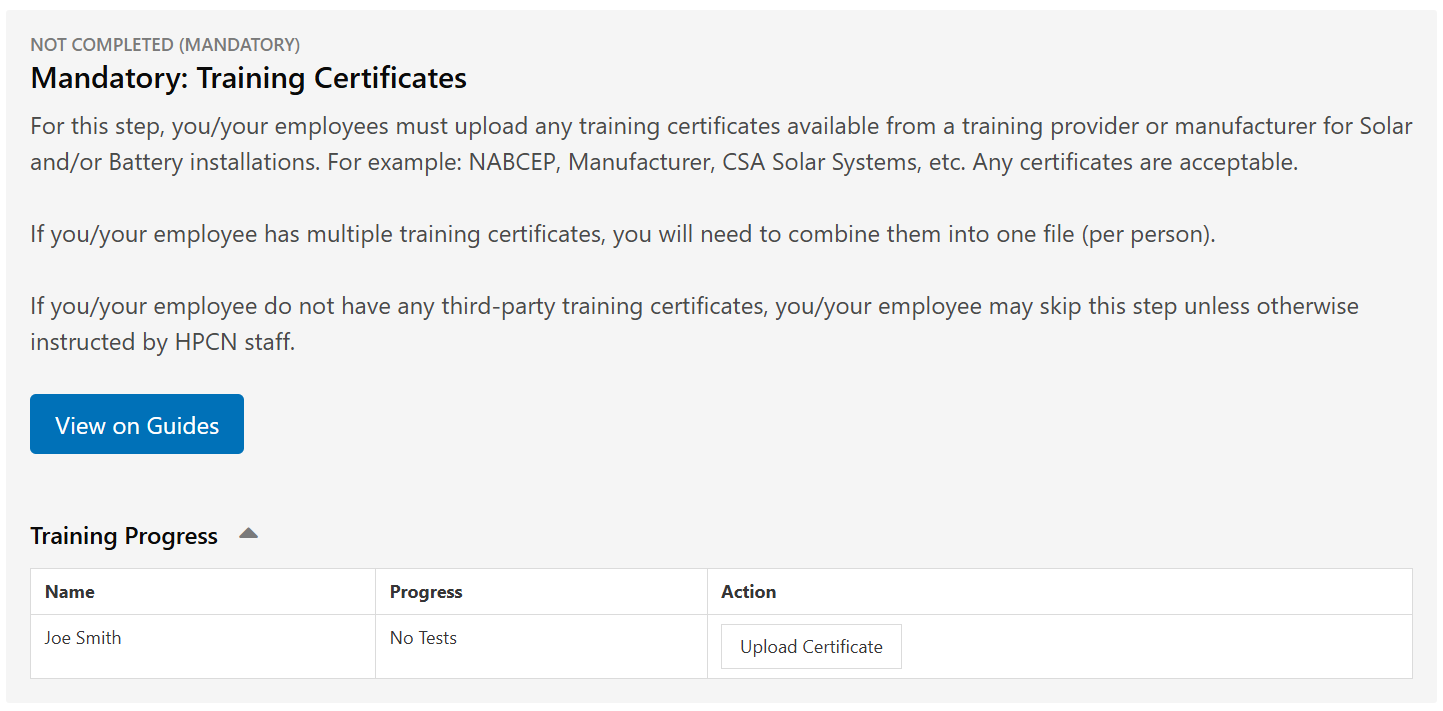
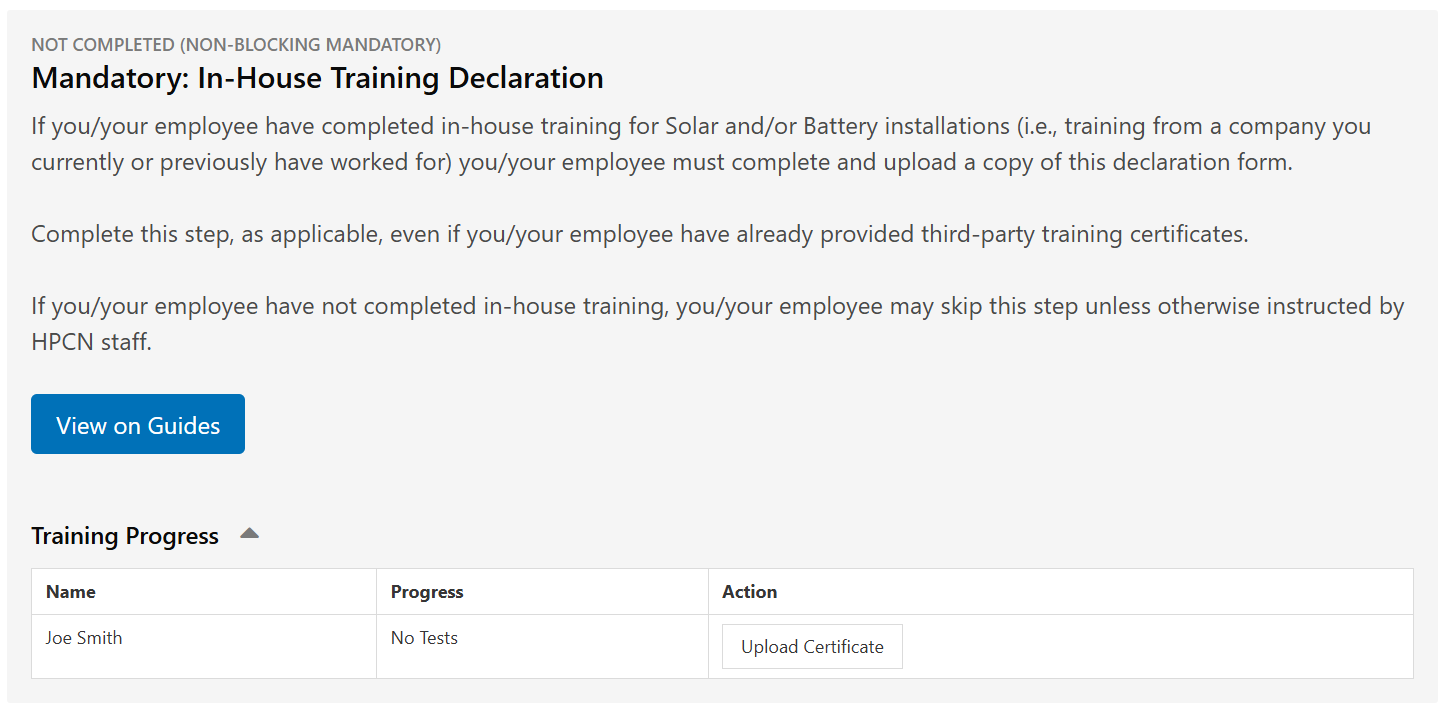
Once at least 1 person has completed each of the mandatory qualifications above, the next stage in the Portal will unlock.