Playlists
One final piece of YouTube optimization (and certainly one of the most important): properly creating and maintaining playlists. Making sure that you channel's content is held within several playlists can prove to be a huge boon for your channel, improving the overall viewership of your videos.
They add a level of convenience for the viewer, making their viewing experience much easier and helping to increase your overall views and viewer retention. Another highly important factor here is that playlists appear within both the SERPs and the suggested videos section.
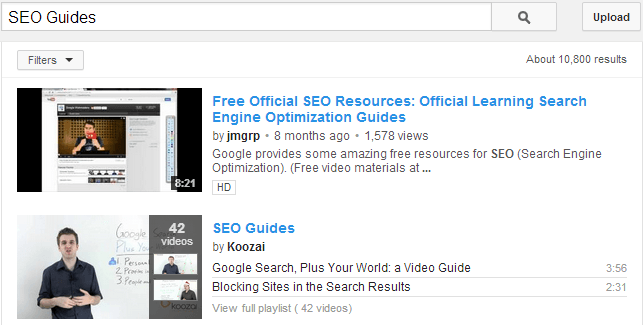
Promotion is certainly important when it comes to playlists, and you have got plenty of options to do so. Within the new YouTube One channels, you can add your playlists within your channel page, further promoting your content. You can also share your playlist by simply adding videos to it. Doing this adds to your subscriber's video feed, and is a commonly used and effective way of giving one of your videos another push.
When it comes to optimizing your playlists, it is very similar to optimizing your videos, with a key area being metadata. Each playlist is given a title and a description, the latter of which has a 5,000 character limit, so make sure to apply the same methods here as per the metadata mentioned previously in the post.
Within your playlist, you have a couple of settings, including whether you want to enable playlist ratings/embedding. Make sure that both of these are enabled, as the former will count towards overall engagement, and the latter will help in getting your content out there.